Console access and event log
Virtual machine consoles can be accessed through both the command line tools and the dashboard. In addition, OpenStack maintains a list of actions performed on a host which can be used to diagnose problems.
Getting console access
Using Horizon with a browser
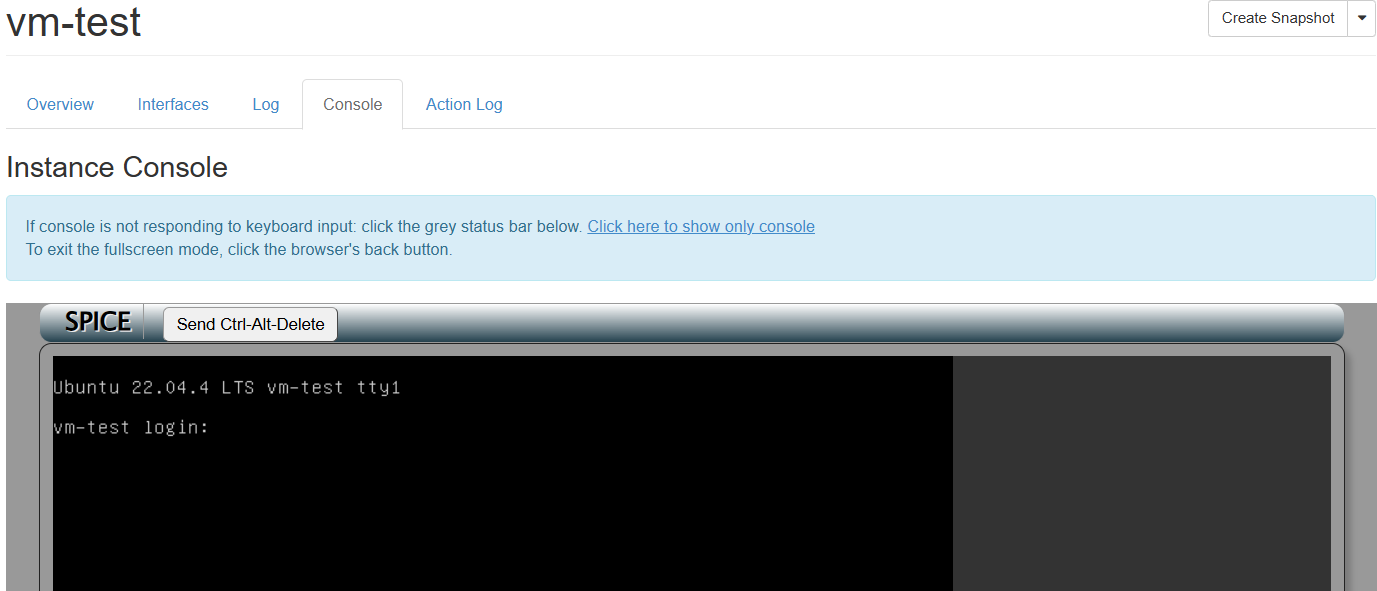
Access to the graphical console can be made via Horizon. Select the node on the initial page you wish to connect to and then the console tab. A screen as follows should appear
Console log using command line tools
The console log is reset when a VM is hard rebooted.
Unlike the dashboard access, the command line tools can access the console history in text. This is particularly useful for Linux virtual machines where crash dump output can be checked.
openstack console log show vm-test
Event log using command line tools
Each VM has an event log associated with it. This gives the times and actions performed on the VM. A message may also be provided to give further information.
The event log for the VM can be obtained as follows
openstack server event list vm-test
+------------------------------------------+--------------------------------------+--------+----------------------------+
| Request ID                               | Server ID                            | Action | Start Time                 |
+------------------------------------------+--------------------------------------+--------+----------------------------+
| req-fb89b2c1-a1cd-4072-9c60-5b860575307e | 824bdce6-4fe5-4af5-9c2f-aaca8231f6b3 | create | 2026-01-08T09:29:47.000000 |
+------------------------------------------+--------------------------------------+--------+----------------------------+
This can be useful to identify when actions were performed on the VM.
Further details can be obtained using openstack server event show for the specific event.
openstack server event show vm-test req-fb89b2c1-a1cd-4072-9c60-5b860575307e
+------------+---------------------------------------------------------------------------------------------------------------------------------------------------------------+
| Field      | Value                                                                                                                                                         |
+------------+---------------------------------------------------------------------------------------------------------------------------------------------------------------+
| action     | create                                                                                                                                                        |
| events     | details=, event='compute__do_build_and_run_instance', finish_time='2026-01-08T09:29:51.000000', host=,                                                        |
|            | host_id='f98400cf46f8282d3eeaa1f3feb93017b5d6bf4a744ee665a6fc909e', result='Success', start_time='2026-01-08T09:29:48.000000', traceback=                     |
| id         | req-fb89b2c1-a1cd-4072-9c60-5b860575307e                                                                                                                      |
| message    | None                                                                                                                                                          |
| project_id | 244692efa9c44ceca00ca9ab7be6f8c2                                                                                                                              |
| request_id | req-fb89b2c1-a1cd-4072-9c60-5b860575307e                                                                                                                      |
| start_time | 2026-01-08T09:29:47.000000                                                                                                                                    |
| user_id    | c7f705789866dcdd367146d138f540654e2b6b42d5c9b67ee7c3b46f6cca5224                                                                                              |
+------------+---------------------------------------------------------------------------------------------------------------------------------------------------------------+