NFS Snapshots
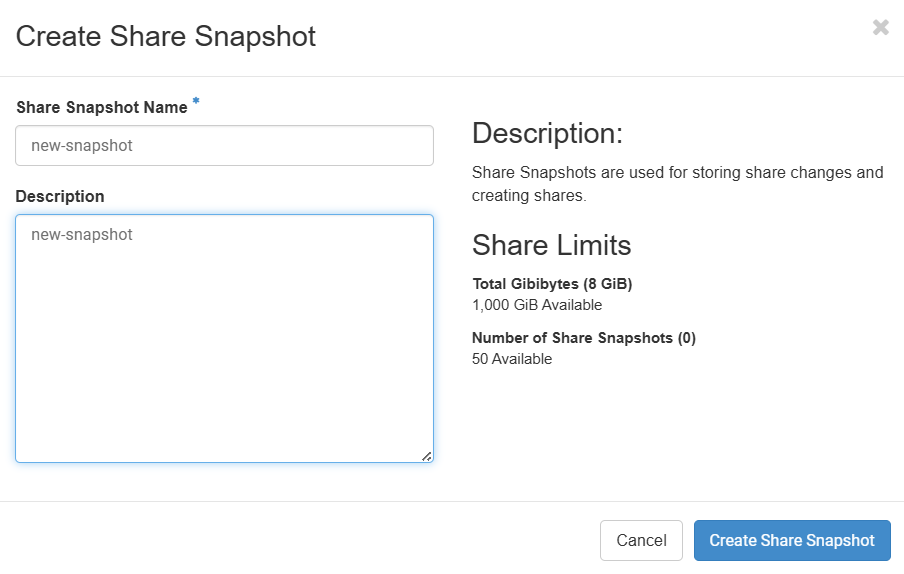
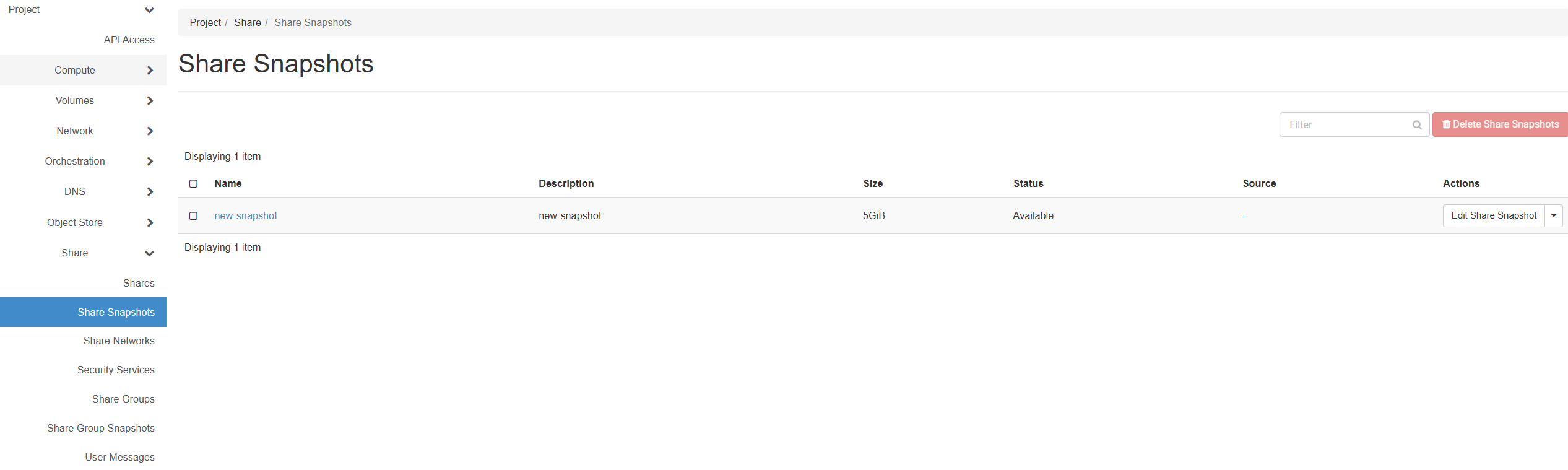
The Shared File Systems service provides a snapshot mechanism to help users restore data by running the manila snapshot-create command.
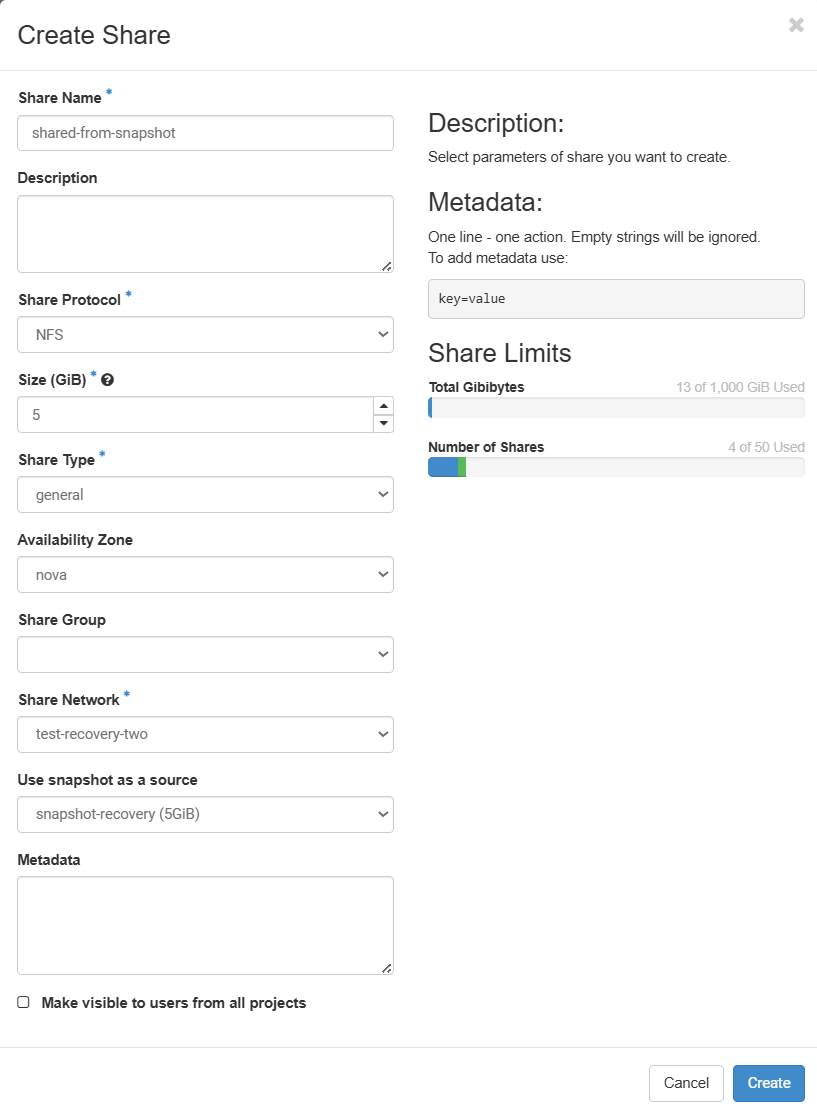
To export a snapshot, create a share from it, then mount the new share to an instance. Copy files from the attached share into the archive.
To import a snapshot, create a new share with appropriate size, attach it to instance, and then copy a file from the archive to the attached file system.
note
You cannot delete a share while it has saved dependent snapshots.
- Using CLI
- Using UI
Create shared Snapshot using CLI
info
Important information: If you use the SSO user, you will need to use additional variables; if you use a local user, the commands are the same, without applying these variables.
export OS_PROJECT_ID="$(openstack token issue -c project_id -f value)"
echo $OS_PROJECT_ID
Then set the bypass URL (choose public or internal depending on where you run the CLI):
* Public
export OS_MANILA_BYPASS_URL="https://manila.api.eu-vlc.uniccloud.org:8786/v1/${OS_PROJECT_ID}"
* Private
export OS_MANILA_BYPASS_URL="https://manila-internal.api.eu-vlc.uniccloud.org:8786/v1/${OS_PROJECT_ID}"
- Select the share
openstack share list
+--------------------------------------+-------------------------+------+-------------+----------------+-----------+-----------------+------+-------------------+
| 037a0bf9-e2d0-4205-8475-720de1002fc6 | test-recovery-two-share |    5 | NFS         | available      | False     | general         |      | nova              |
+--------------------------------------+-------------------------+------+-------------+----------------+-----------+-----------------+------+-------------------+
- Create a new snapshot
manila snapshot-create 037a0bf9-e2d0-4205-8475-720de1002fc6 --name snapshot-recovery
manila CLI is deprecated and will be removed in the future. Use openstack CLI instead. The equivalent command is " openstack share snapshot create "
+-------------+--------------------------------------+
| Property    | Value                                |
+-------------+--------------------------------------+
| id          | 0ca60969-adc2-4ddd-bce9-a051c3a0464d |
| share_id    | 037a0bf9-e2d0-4205-8475-720de1002fc6 |
| share_size  | 5                                    |
| created_at  | 2026-02-11T14:29:09.628532           |
| status      | creating                             |
| name        | snapshot-recovery                    |
| description | None                                 |
| size        | 5                                    |
| share_proto | NFS                                  |
+-------------+--------------------------------------+
- Create Share from Snapshot
openstack share create NFS 5 --share-type general --name Share-recuva --description "Share from a snapshot." --snapshot-id 0ca60969-adc2-4ddd-bce9-a051c3a0464d
+---------------------------------------+------------------------------------------------------------------+
| Field                                 | Value                                                            |
+---------------------------------------+------------------------------------------------------------------+
| id                                    | b0386d31-6f0a-4ae1-b33f-4771e19f926d                             |
| size                                  | 5                                                                |
| availability_zone                     | nova                                                             |
| created_at                            | 2026-02-11T14:31:37.365081                                       |
| status                                | creating                                                         |
| name                                  | Share-recuva                                                     |
| description                           | Share from a snapshot.                                           |
| project_id                            | 244692efa9c44ceca00ca9ab7be6f8c2                                 |
| snapshot_id                           | 0ca60969-adc2-4ddd-bce9-a051c3a0464d                             |
| share_network_id                      | fc033ec1-966d-48a4-8d66-48f32d5832d7                             |
| share_proto                           | NFS                                                              |
| metadata                              | {}                                                               |
| share_type                            | 6b5d9a1e-7ea7-43b7-b3f2-905f52e9b77f                             |
| volume_type                           | general                                                          |
| is_public                             | False                                                            |
| snapshot_support                      | True                                                             |
| task_state                            | None                                                             |
| share_type_name                       | general                                                          |
| access_rules_status                   | active                                                           |
| replication_type                      | None                                                             |
| has_replicas                          | False                                                            |
| user_id                               | c7f705789866dcdd367146d138f540654e2b6b42d5c9b67ee7c3b46f6cca5224 |
| create_share_from_snapshot_support    | True                                                             |
| revert_to_snapshot_support            | True                                                             |
| share_group_id                        | None                                                             |
| source_share_group_snapshot_member_id | None                                                             |
| mount_snapshot_support                | False                                                            |
| progress                              | None                                                             |
| is_soft_deleted                       | False                                                            |
| scheduled_to_be_deleted_at            | None                                                             |
+---------------------------------------+------------------------------------------------------------------+
- Delete Snapshot
manila snapshot-delete 0ca60969-adc2-4ddd-bce9-a051c3a0464d
manila CLI is deprecated and will be removed in the future. Use openstack CLI instead. The equivalent command is " openstack share snapshot delete "
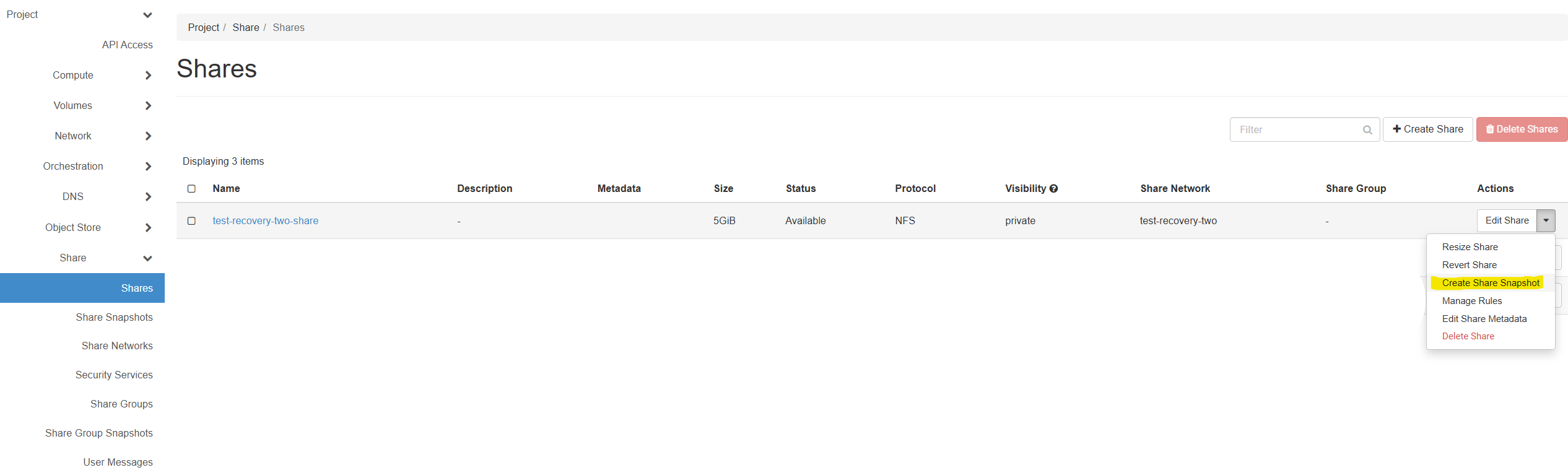 Next select Create share snapshot