Restoring From Horizon
Steps:
note
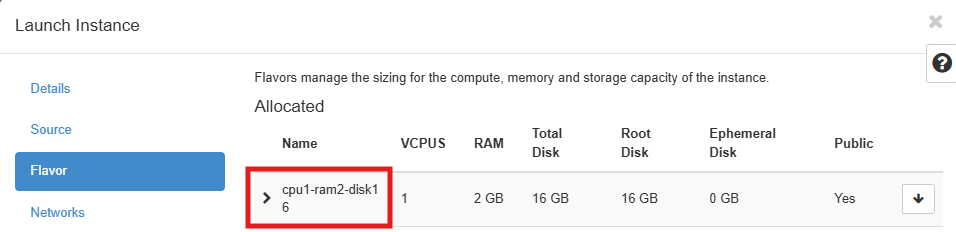
When setting up a new virtual machine from a recovered volume, the flavor must be at least the same as the original machine. Ideally, the new virtual machine should be built as similarly as possible.
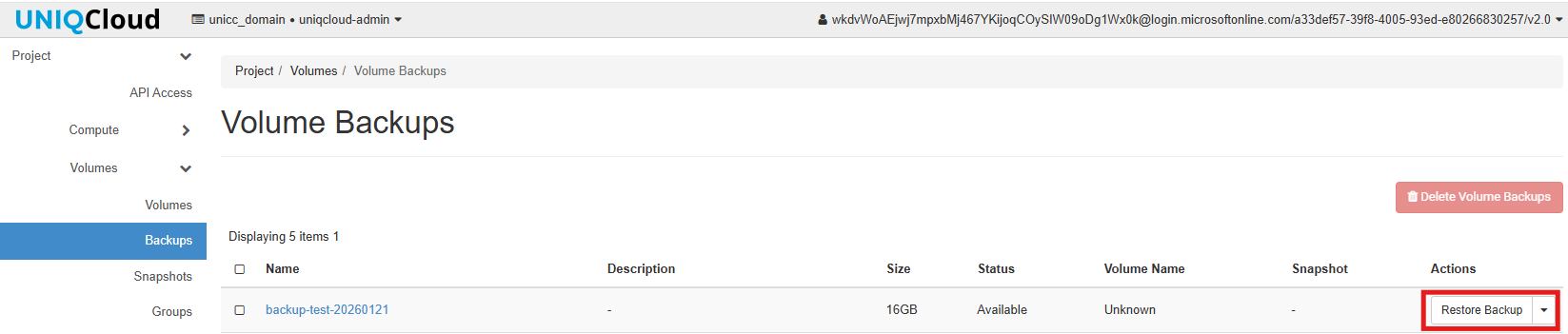
- First select the backup
Project > Volumenes > Backups > Restore Backups
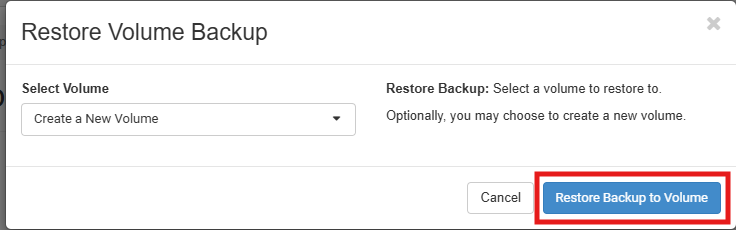
- Select Restore Backup to Volume, this option create a new volume
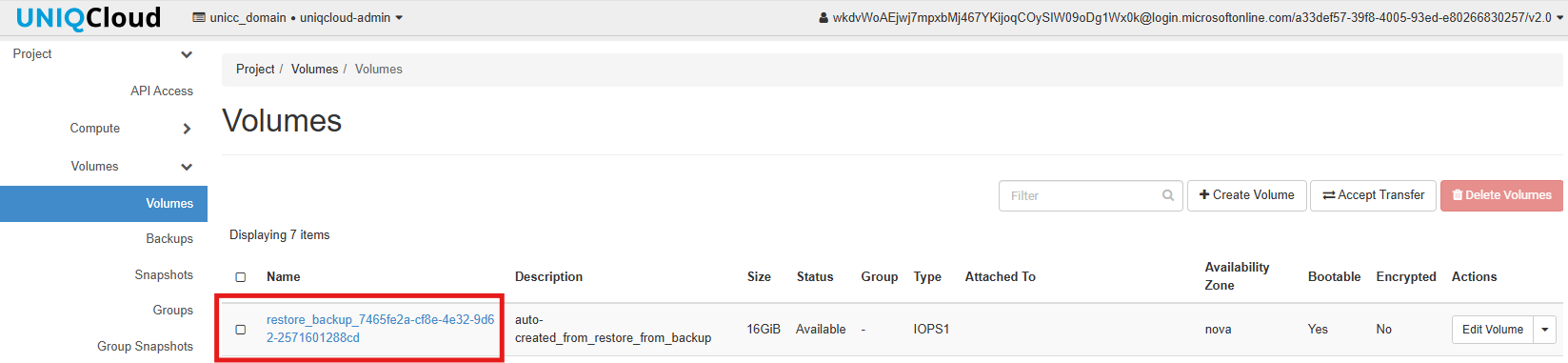
- The new Volume is create
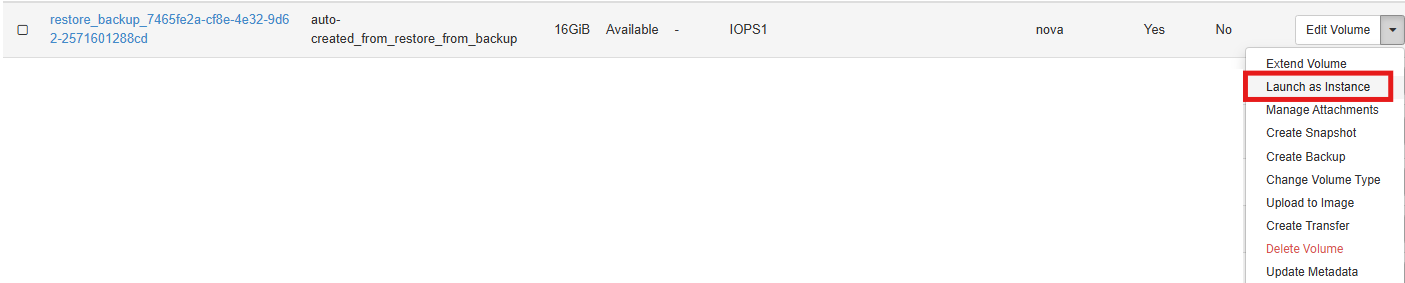
- Launch as instance
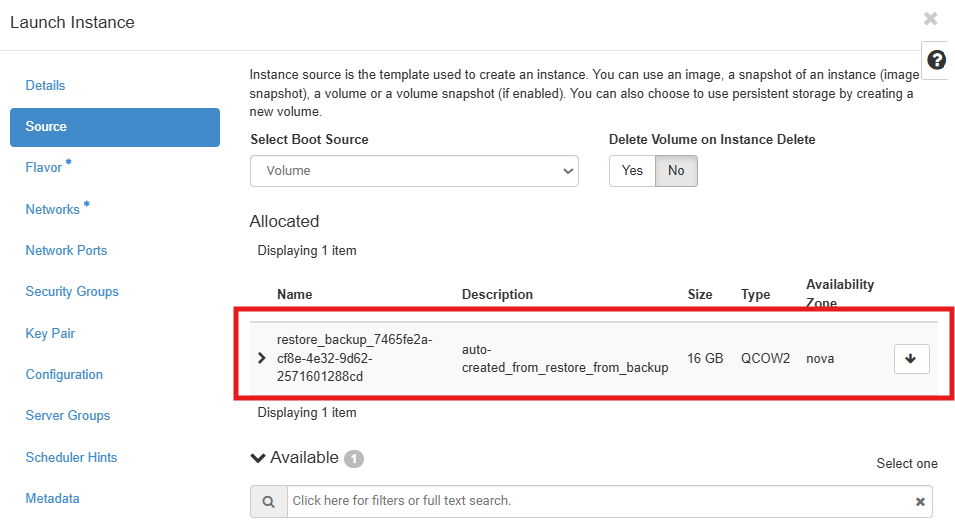
- For Default select the new Volume create
- Select the flavor, The flavor to be selected must be the same as the original machine.
- The last step is Launch the insance and look in the dashboard
