Recovery
Managing Workload Backups
Once you create a workload, it will appear in the Workload tab.
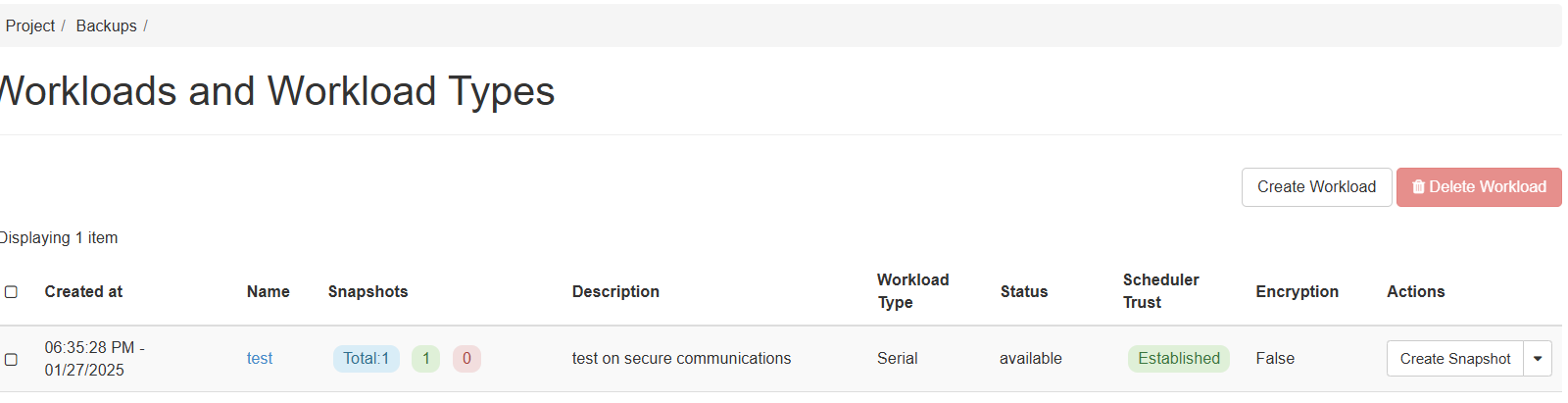
Here, you can:
- View snapshots/backups taken according to the previously defined schedule.
- Manually create a snapshot at any time by clicking the Create Snapshot button under Actions.
- Reset or edit the workload as needed.
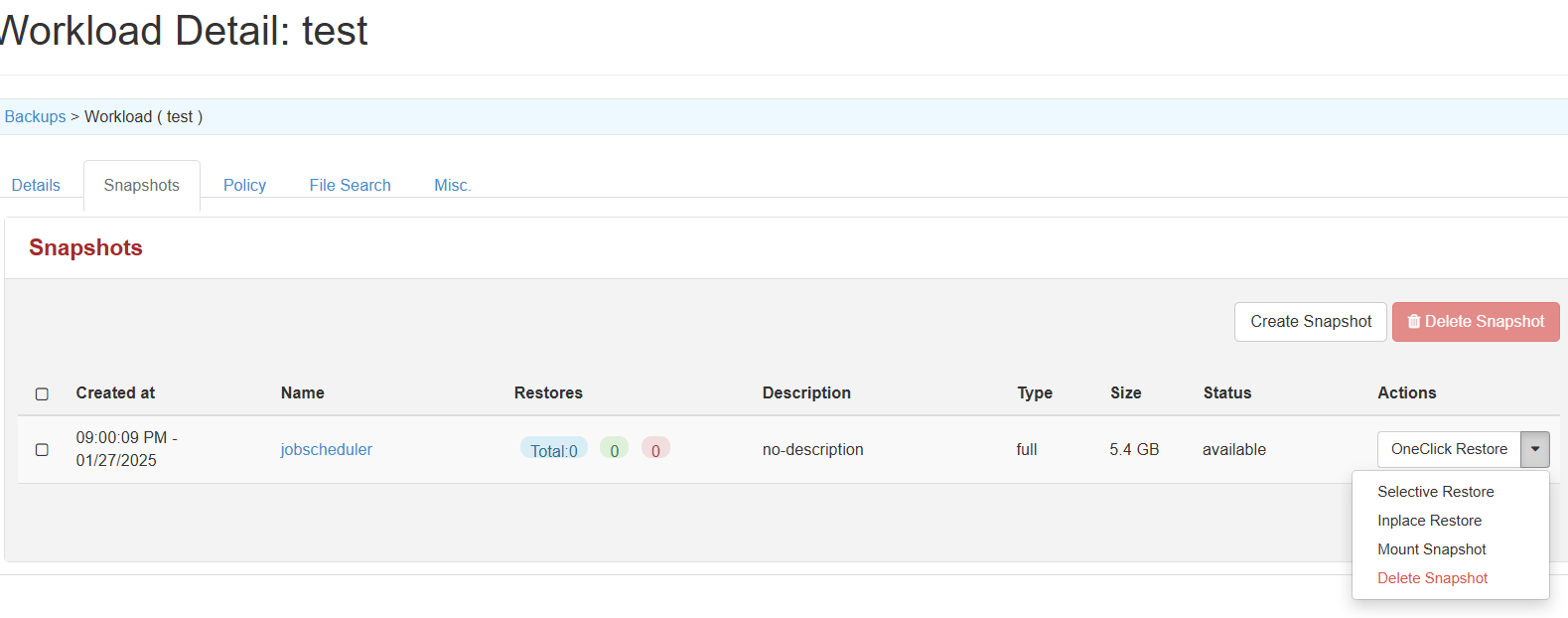
Snapshot Management
If you select a workload and navigate to the Snapshots tab, the following options are available:
| Option | Description |
|---|---|
| OneClick Restore | Restores the entire backup to its original location, replacing the existing instance or volume with the backed-up version. |
| Selective Restore | Restores specific files, directories, or components from a backup, rather than the entire instance or volume. |
| Inplace Restore | Similar to OneClick Restore, but restores directly to the existing instance or volume without creating a new one. Offers more control over the restore process. |
| Mount Snapshot | Mounts the snapshot as a read-only volume, allowing you to browse or recover data without a full restore. |
| Delete Snapshot | Permanently removes the snapshot from storage. |